The Essentials of Managing Cloud Computing Costs
One of the most difficult parts of cloud computing is to understand the actual costs that you will... En lire plus


To continue our series about Cloud Computing we explain here some aspects of Infrastructure as a Service (IaaS): what it is and what are its components.
To understand IaaS it is important to grasp what is meant by Infrastructure and Service.
Infrastructure refers to an on-premise physical data center. Generally, this comprises anything from a closet with a couple of servers, an internet router, and a network switch to a fully managed data center with hundreds or thousands of servers, dedicated air conditioning, uninterruptible power supply, racks, special flooring, and secure access. It can also be a managed hosted data center that specializes in managing data center space for many customers at a time.
Managing these on-premise data centers becomes more complicated, expensive, and difficult with each passing year.
Service refers to public Cloud companies such as AWS, Microsoft Azure, and Google, and other smaller players that replicate the components of an Infrastructure as their service offering.
In the past, companies relied upon on-premise data centers for nearly all their computing needs.
For example, if a finance department needed a new application to improve their quarterly reporting, they would, with the help of the IT department, find the correct software vendor that meets their needs. Then, the following tasks were required:
Only after these tasks were completed would the software actually be available for use.
This process from order to finishing the installation would normally take several weeks in an ideal situation. It would take months if there were delays waiting for approvals, order delays, and IT resources being busy or unavailable.
Using a public Cloud solution - the above steps could be finished in a few hours or even less depending on the requirements and complexity.
The Cloud-based components included within Infrastructure consist of:
In IaaS, Compute refers to the computing power provided by virtual servers. Most of the servers are different versions of Linux and Microsoft Windows. Customers select the size of their server depending on the processing power and memory needed.
Companies are charged "pay-as-you-use". This gives the flexibility to increase or decrease the components of the server quickly and respond to the demands of the application and the needs of the business. For example, they could select a low powered server during the initial installation and testing and then easily increase the power at a later phase.
This is simply the storage of computer data, such as Microsoft Office files, media files, and large databases filling terabytes of storage.
Storage in the Cloud offers several important advantages compared to when companies' data was located in many different places. It may have been anywhere from a user’s USB drive to large SAN systems in their data centers.
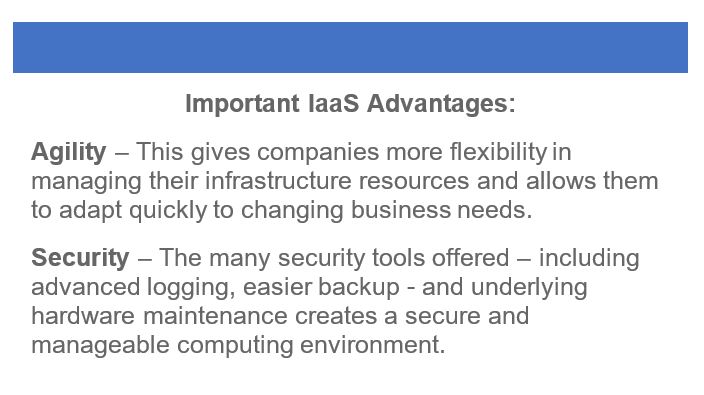
Some important advantages include:
Networking in the Cloud provides many of the same tools used to connect your resources as an on-premise data center. Some of the networking features commonly offered by Cloud providers include:
VPN connection – to connect from your virtual Cloud network over the internet to any other network such as connecting to your on-premise company's data center.
Direct Connection – this is the ability to connect from an on-premise network to a Cloud-based network through a direct network connection. This provides a more secure, controllable, and faster network connection.
Additionally, other networking services are available such as DNS, routing, firewalls, and network accelerators.
Databases in the Cloud are generally offered in two ways.
One is by installing the database software on a virtual server. This gives the option of using any database software and gives more control over the configuration of the database software itself.
Databases can also be managed as a database service. This removes the installation and management of the database software itself. Managed databases are mostly offered as SQL type and NONSQL type databases – SQL type refers to traditional relational type databases such as MySQL and Postgres. NONSQL databases run well on Cloud platforms and are well suited for large databases with lots of read/writes and can be scaled up and down easily.
IaaS is one of the largest services offered in the Cloud computing realm. Companies are already spending billions of dollars per year on IaaS. In the next article, we will look at Cloud costs and how to economize spending.
Further reading:
An Introduction to Cloud Computing by
Image: